RawImage
Displays pixel frames pushed from Python at full bandwidth.
Unlike Image, whose src travels through the regular
Flet protocol on every update, RawImage streams frames over a
dedicated DataChannel: bytes skip MsgPack
encode/decode entirely and, on local transports (desktop app, flet run,
Pyodide), are displayed from raw RGBA pixels without any image
encoding or decoding. This makes it suitable for animations, generated
graphics, camera frames and Pillow output at interactive frame rates.
Frames are pushed with the awaitable render, render_rgba
and render_encoded methods. Each call resolves when the client
has actually displayed the frame, so a plain loop self-paces to display
speed:
raw_image = ft.RawImage(width=400, height=300)
page.add(raw_image)

while True:
    await raw_image.render(produce_pil_image())
Transport behavior is selected automatically:
- Local transports (
local_data_transportconnections): frames are sent as uncompressed premultiplied RGBA8888 and uploaded straight to a GPU texture on the client. - Remote transports (
flet-webover WebSocket): Pillow and NumPy frames are PNG-encoded off the event loop to save bandwidth; raw pixel frames for which no straight-alpha source is available are sent uncompressed.
Premultiplied alpha. The raw-pixel path uploads frames directly as
GPU textures in Flutter's rgba8888 format, which expects RGB values
already multiplied by alpha ("premultiplied"). Pillow, numpy code and
image files normally produce straight alpha instead, where color and
opacity are independent: a half-transparent white pixel is
(255, 255, 255, 128) straight but (128, 128, 128, 128)
premultiplied (each color channel becomes value * alpha // 255).
The premultiplied argument of the render methods says whether that
conversion is already done:
premultiplied=False— pixels carry straight alpha; RGB is multiplied by alpha before sending. The conversion runs in fast C loops and is skipped when the frame turns out to be fully opaque.premultiplied=True— skip the conversion. Use it when pixels are genuinely premultiplied or, the common case, when the frame is fully opaque: with every alpha at 255 both forms are identical, and declaring it saves an alpha scan per frame in streaming loops.
Passing straight-alpha pixels with premultiplied=True makes
semi-transparent areas render too bright; for fully opaque frames the
flag cannot be wrong either way.
The last frame is retained and replayed automatically when the client
widget remounts (page rebuild, route navigation), mirroring how
Image.src persists.
Inherits: LayoutControl
Properties
ack_timeout- Seconds arendercall waits for the client's frame-applied acknowledgment before raisingTimeoutError.filter_quality- The rendering quality of the displayed frame.fit- Defines how to inscribe the current frame into the space allocated during layout.ready_timeout- Seconds therendermethods wait for the client widget to attach its data channel before raisingTimeoutError.scale- How many physical frame pixels correspond to one logical pixel.
Events
on_data_channel_open- Framework hook — Dart fires this when it opens the data channel on mount.
Methods
clear- Clear the displayed frame.render- Display a Pillow image or a NumPy-style array and wait until the client has shown it.render_encoded- Display an encoded image (PNG, JPEG, WebP, ...) and wait until the client has shown it.render_rgba- Display a raw RGBA8888 frame and wait until the client has shown it.
RawImage vs Image
Use Image for pictures that come from a file, URL,
asset or a one-off byte string. Use RawImage when your Python code produces
pixels — Pillow drawings, NumPy arrays, camera frames, plots, procedural
animations — and you want to push them to the screen repeatedly and fast.
Every update of Image.src travels through the regular Flet protocol and is
decoded from scratch on the client. RawImage instead streams frames over a
dedicated data channel: bytes skip the protocol entirely and, when the client
runs on the same machine (desktop app, flet run, Pyodide), frames are
transferred as raw RGBA pixels and uploaded straight to a GPU texture — no
image encoding or decoding on either side. Remote web clients automatically
receive compact PNG frames instead.
The render methods are awaitable and resolve when the client has displayed
the frame, so a plain loop self-paces to display speed:
raw_image = ft.RawImage(expand=True)
page.add(raw_image)

while True:
    await raw_image.render(produce_pil_image())
Examples
Photo viewer
Regular PNG/JPEG/WebP bytes — downloaded, read from a file or pulled from a
database — are displayed with render_encoded; the client decodes them with
its image codecs.
Photo viewer
import asyncio
import urllib.request

import flet as ft

PHOTOS = [
    f"https://picsum.photos/seed/{seed}/800/500.jpg"
    for seed in ("flet", "raw", "image", "viewer", "photo")
]


async def main(page: ft.Page):
    page.title = "RawImage photo viewer"

    raw_image = ft.RawImage(expand=True, fit=ft.BoxFit.CONTAIN)
    status_text = ft.Text("", size=12)

    index = 0
    cache: dict[str, bytes] = {}

    async def fetch(url: str) -> bytes:
        if url not in cache:
            cache[url] = await asyncio.to_thread(
                lambda: urllib.request.urlopen(url, timeout=20).read()
            )
        return cache[url]

    async def show(i: int):
        nonlocal index
        index = i % len(PHOTOS)
        status_text.value = f"loading {index + 1}/{len(PHOTOS)}…"
        page.update()
        data = await fetch(PHOTOS[index])
        # render_encoded displays PNG/JPEG/WebP bytes from anywhere: an
        # HTTP response like here, a file (Path("photo.jpg").read_bytes()),
        # a database blob. The client decodes them with its image codecs.
        await raw_image.render_encoded(data)
        status_text.value = f"{index + 1}/{len(PHOTOS)} — {len(data) // 1024} KB JPEG"
        page.update()

    def go(delta: int):
        asyncio.create_task(show(index + delta))

    page.add(
        ft.Row(
            [
                ft.IconButton(ft.Icons.CHEVRON_LEFT, on_click=lambda: go(-1)),
                ft.IconButton(ft.Icons.CHEVRON_RIGHT, on_click=lambda: go(1)),
                status_text,
            ],
            spacing=10,
        ),
        raw_image,
    )
    await show(0)


if __name__ == "__main__":
    ft.run(main)
Plasma animation
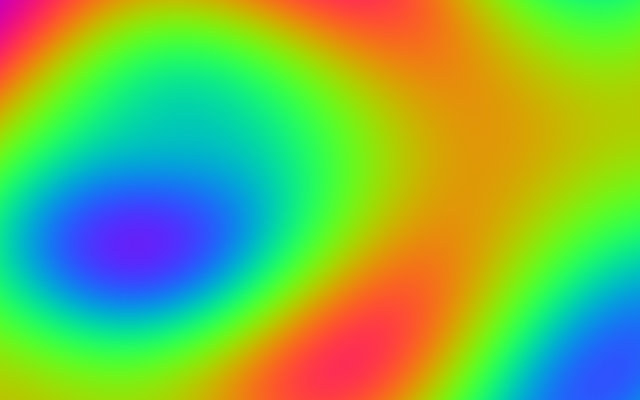
Streams a procedurally generated plasma effect with a live FPS counter and a render-resolution slider.
Plasma animation
import asyncio
import time
from collections import deque

import numpy as np

import flet as ft

FPS_WINDOW_SECONDS = 2.0


def plasma_frame(width: int, height: int, t: float) -> np.ndarray:
    """
    Renders a classic demoscene plasma: several drifting sine fields summed
    and mapped through a rotating RGB palette. Fully vectorized in numpy.
    """
    x = np.linspace(0.0, 3.0 * np.pi, width, dtype=np.float32)[None, :]
    y = np.linspace(0.0, 3.0 * np.pi, height, dtype=np.float32)[:, None]
    cx = x - 1.5 * np.pi + np.sin(t / 3.0) * np.pi
    cy = y - 1.5 * np.pi + np.cos(t / 2.0) * np.pi
    v = (
        np.sin(x + t)
        + np.sin((y + t) / 2.0)
        + np.sin((x + y + t) / 2.0)
        + np.sin(np.sqrt(cx * cx + cy * cy + 1.0) + t)
    ) / 4.0
    frame = np.empty((height, width, 4), dtype=np.uint8)
    frame[..., 0] = np.sin(v * np.pi) * 127 + 128
    frame[..., 1] = np.sin(v * np.pi + 2.0 * np.pi / 3.0) * 127 + 128
    frame[..., 2] = np.sin(v * np.pi + 4.0 * np.pi / 3.0) * 127 + 128
    frame[..., 3] = 255
    return frame


async def main(page: ft.Page):
    page.title = "RawImage plasma"
    page.padding = 0

    raw_image = ft.RawImage(expand=True, fit=ft.BoxFit.FILL)

    fps_text = ft.Text("fps: —", size=12)
    resolution_text = ft.Text("res: —", size=12)
    detail_slider = ft.Slider(
        min=1,
        max=8,
        divisions=7,
        value=2,
        width=200,
        label="downscale 1/{value}",
    )

    status_bar = ft.Container(
        content=ft.Row(
            [fps_text, resolution_text, ft.Text("detail:", size=12), detail_slider],
            spacing=20,
        ),
        padding=ft.Padding.symmetric(horizontal=12, vertical=2),
        bgcolor=ft.Colors.SURFACE_CONTAINER_HIGH,
    )

    page.add(
        ft.SafeArea(
            content=ft.Column([raw_image, status_bar], expand=True, spacing=0),
            expand=True,
        )
    )

    frame_times: deque[float] = deque()
    frame_size = (0, 0)

    async def animate():
        nonlocal frame_size
        started = time.monotonic()
        while True:
            downscale = int(detail_slider.value)
            width = max(2, int(page.width or 800) // downscale)
            height = max(2, (int(page.height or 600) - 50) // downscale)
            frame_size = (width, height)
            frame = plasma_frame(width, height, time.monotonic() - started)
            try:
                # The frame is opaque, so it is premultiplied by definition —
                # saying so skips an alpha scan per frame. The await resolves
                # when the frame is on screen, pacing the loop to display
                # speed.
                await raw_image.render(frame, premultiplied=True)
            except (RuntimeError, TimeoutError):
                return  # window closed — session destroyed
            now = time.monotonic()
            frame_times.append(now)
            while frame_times and frame_times[0] < now - FPS_WINDOW_SECONDS:
                frame_times.popleft()

    async def refresh_stats():
        # Refresh labels at ~4 Hz instead of once per frame, which would
        # thrash the layout.
        while True:
            now = time.monotonic()
            while frame_times and frame_times[0] < now - FPS_WINDOW_SECONDS:
                frame_times.popleft()
            fps_text.value = f"fps: {len(frame_times) / FPS_WINDOW_SECONDS:.1f}"
            resolution_text.value = f"res: {frame_size[0]}x{frame_size[1]}"
            try:
                page.update()
            except RuntimeError:
                return
            await asyncio.sleep(0.25)

    asyncio.create_task(animate())
    asyncio.create_task(refresh_stats())


if __name__ == "__main__":
    ft.run(main)
Pillow paint
An interactive paint app: pan gestures draw brush strokes onto a Pillow image that is streamed to the screen through a dirty-flag render loop.
Pillow paint
import asyncio

from PIL import Image, ImageDraw

import flet as ft

CANVAS_WIDTH = 700
CANVAS_HEIGHT = 450
# ImageDraw has no anti-aliasing: lines and ellipses get hard, jagged
# edges. Painting on a canvas this many times larger and letting the
# client downscale it into the control's box averages each screen pixel
# from SUPERSAMPLE^2 canvas pixels — cheap, GPU-side anti-aliasing.
SUPERSAMPLE = 2
PALETTE = [
    "#1d1d21",
    "#e53935",
    "#fb8c00",
    "#fdd835",
    "#43a047",
    "#1e88e5",
    "#8e24aa",
]


async def main(page: ft.Page):
    page.title = "RawImage paint"

    image = Image.new(
        "RGBA", (CANVAS_WIDTH * SUPERSAMPLE, CANVAS_HEIGHT * SUPERSAMPLE), "white"
    )
    draw = ImageDraw.Draw(image)

    # Frames arrive at SUPERSAMPLE times the control's size; fit=FILL
    # scales them down and filter_quality blends the extra pixels away.
    raw_image = ft.RawImage(
        width=CANVAS_WIDTH,
        height=CANVAS_HEIGHT,
        fit=ft.BoxFit.FILL,
        filter_quality=ft.FilterQuality.MEDIUM,
    )

    brush_color = PALETTE[0]
    last_point: tuple[float, float] | None = None  # in canvas pixels

    # Pan events arrive faster than frames can be displayed, so handlers
    # only mutate the Pillow image and flag it dirty; a single loop below
    # streams the latest state as fast as the display confirms frames.
    dirty = asyncio.Event()

    def stroke_to(point: ft.Offset):
        nonlocal last_point
        # Pointer coordinates are in control (logical) pixels; the canvas
        # lives at SUPERSAMPLE resolution.
        x = point.x * SUPERSAMPLE
        y = point.y * SUPERSAMPLE
        radius = brush_size_slider.value / 2 * SUPERSAMPLE
        if last_point is not None:
            draw.line(
                (last_point[0], last_point[1], x, y),
                fill=brush_color,
                width=int(radius * 2),
            )
        # Round cap: a line alone leaves flat, jagged joints.
        draw.ellipse(
            (x - radius, y - radius, x + radius, y + radius),
            fill=brush_color,
        )
        last_point = (x, y)
        dirty.set()

    def pan_start(e: ft.DragStartEvent):
        nonlocal last_point
        last_point = None
        stroke_to(e.local_position)

    def pan_update(e: ft.DragUpdateEvent):
        stroke_to(e.local_position)

    def select_color(color: str):
        nonlocal brush_color
        brush_color = color
        for dot in palette_row.controls:
            dot.border = (
                ft.Border.all(3, ft.Colors.BLUE_GREY_200) if dot.data == color else None
            )
        palette_row.update()

    def clear_canvas():
        draw.rectangle(
            (0, 0, CANVAS_WIDTH * SUPERSAMPLE, CANVAS_HEIGHT * SUPERSAMPLE),
            fill="white",
        )
        dirty.set()

    palette_row = ft.Row(
        [
            ft.Container(
                width=28,
                height=28,
                border_radius=14,
                bgcolor=color,
                data=color,
                on_click=lambda e: select_color(e.control.data),
            )
            for color in PALETTE
        ],
        spacing=8,
    )
    brush_size_slider = ft.Slider(min=2, max=40, value=8, width=150)

    page.add(
        ft.Row(
            [
                palette_row,
                ft.Text("size:"),
                brush_size_slider,
                ft.OutlinedButton("Clear", on_click=clear_canvas),
            ],
            spacing=10,
        ),
        ft.Container(
            content=ft.GestureDetector(
                content=raw_image,
                on_pan_start=pan_start,
                on_pan_update=pan_update,
                drag_interval=10,
            ),
            border=ft.Border.all(1, ft.Colors.BLUE_GREY_200),
            width=CANVAS_WIDTH,
            height=CANVAS_HEIGHT,
        ),
    )
    select_color(brush_color)

    async def render_loop():
        while True:
            await dirty.wait()
            dirty.clear()
            try:
                # The canvas is opaque, so it is premultiplied by definition.
                # Awaiting the render paces this loop to display speed: any
                # strokes drawn meanwhile coalesce into the next frame.
                await raw_image.render(image, premultiplied=True)
            except (RuntimeError, TimeoutError):
                return  # window closed — session destroyed

    dirty.set()  # show the blank canvas
    asyncio.create_task(render_loop())


if __name__ == "__main__":
    ft.run(main)
Mandelbrot explorer
Click to zoom into the Mandelbrot set — every zoom is a burst of NumPy-rendered frames computed in a background thread.
Mandelbrot explorer
import asyncio
import time
from collections import deque

import numpy as np

import flet as ft

WIDTH = 640
HEIGHT = 480
MAX_ITER = 96
ZOOM_PER_CLICK = 8.0
ZOOM_FRAMES = 30
HOME = (-0.65, 0.0, 1.6)  # center x, center y, half-width of the view
FPS_WINDOW_SECONDS = 2.0


def mandelbrot_frame(center_x: float, center_y: float, scale: float) -> np.ndarray:
    """
    Escape-time Mandelbrot render, fully vectorized: points that stay
    bounded for MAX_ITER iterations are painted black, escaped points get
    a sine palette keyed on the escape iteration.
    """
    aspect = HEIGHT / WIDTH
    x = np.linspace(center_x - scale, center_x + scale, WIDTH)
    y = np.linspace(center_y - scale * aspect, center_y + scale * aspect, HEIGHT)
    c = x[None, :] + 1j * y[:, None]
    z = np.zeros_like(c)
    escape_iter = np.full(c.shape, MAX_ITER, dtype=np.int32)
    alive = np.ones(c.shape, dtype=bool)
    for i in range(MAX_ITER):
        z[alive] = z[alive] ** 2 + c[alive]
        escaped = alive & (np.abs(z) > 2.0)
        escape_iter[escaped] = i
        alive &= ~escaped
    t = escape_iter / MAX_ITER
    frame = np.zeros((HEIGHT, WIDTH, 4), dtype=np.uint8)
    outside = ~alive
    frame[outside, 0] = np.sin(t[outside] * 9.0) * 127 + 128
    frame[outside, 1] = np.sin(t[outside] * 9.0 + 1.2) * 127 + 128
    frame[outside, 2] = np.sin(t[outside] * 9.0 + 2.4) * 127 + 128
    frame[..., 3] = 255
    return frame


async def main(page: ft.Page):
    page.title = "RawImage Mandelbrot"

    # No fixed size: the control fills the window (expand=True) and CONTAIN
    # scales the 640x480 frame into whatever box the layout provides, so the
    # image grows and shrinks with the window.
    raw_image = ft.RawImage(expand=True, fit=ft.BoxFit.CONTAIN)
    fps_text = ft.Text("fps: —", size=12)
    zoom_text = ft.Text("zoom: 1x", size=12)
    hint_text = ft.Text("click to zoom in", size=12, italic=True)

    view = HOME
    frame_times: deque[float] = deque()
    zoom_task: asyncio.Task | None = None
    box_size = (float(WIDTH), float(HEIGHT))  # laid-out size of the control

    def track_size(e: ft.LayoutSizeChangeEvent):
        nonlocal box_size
        box_size = (e.width, e.height)

    raw_image.on_size_change = track_size

    async def show(center_x: float, center_y: float, scale: float):
        nonlocal view
        view = (center_x, center_y, scale)
        # The render itself is CPU-heavy — keep it off the event loop.
        frame = await asyncio.to_thread(mandelbrot_frame, center_x, center_y, scale)
        await raw_image.render(frame, premultiplied=True)
        now = time.monotonic()
        frame_times.append(now)
        while frame_times and frame_times[0] < now - FPS_WINDOW_SECONDS:
            frame_times.popleft()
        fps_text.value = f"fps: {len(frame_times) / FPS_WINDOW_SECONDS:.1f}"
        zoom_text.value = f"zoom: {HOME[2] / scale:,.0f}x"
        page.update()

    async def zoom_to(target_x: float, target_y: float, factor: float):
        # A burst of ZOOM_FRAMES awaited renders: exponential interpolation
        # of the view towards the target, each frame displayed as soon as
        # the client acks the previous one.
        start_x, start_y, start_scale = view
        for i in range(1, ZOOM_FRAMES + 1):
            k = i / ZOOM_FRAMES
            f = factor**k
            scale = start_scale / f
            x = target_x + (start_x - target_x) / f
            y = target_y + (start_y - target_y) / f
            try:
                await show(x, y, scale)
            except (RuntimeError, TimeoutError):
                return

    def start_zoom(target_x: float, target_y: float, factor: float):
        nonlocal zoom_task
        if zoom_task is not None and not zoom_task.done():
            return  # ignore clicks while a zoom animation is running
        zoom_task = asyncio.create_task(zoom_to(target_x, target_y, factor))

    def tap(e: ft.TapEvent):
        if e.local_position is None:
            return
        # With CONTAIN the frame is centered in the box with letterbox
        # bands; undo that mapping to get frame-pixel coordinates.
        box_width, box_height = box_size
        display_scale = min(box_width / WIDTH, box_height / HEIGHT)
        offset_x = (box_width - WIDTH * display_scale) / 2
        offset_y = (box_height - HEIGHT * display_scale) / 2
        frame_x = (e.local_position.x - offset_x) / display_scale
        frame_y = (e.local_position.y - offset_y) / display_scale
        if not (0 <= frame_x < WIDTH and 0 <= frame_y < HEIGHT):
            return  # tap landed on a letterbox band
        center_x, center_y, scale = view
        aspect = HEIGHT / WIDTH
        x = center_x + (frame_x / WIDTH * 2 - 1) * scale
        y = center_y + (frame_y / HEIGHT * 2 - 1) * scale * aspect
        start_zoom(x, y, ZOOM_PER_CLICK)

    def reset():
        nonlocal zoom_task
        if zoom_task is not None:
            zoom_task.cancel()
            zoom_task = None
        asyncio.create_task(show(*HOME))

    page.add(
        ft.Row(
            [
                ft.OutlinedButton("Reset", on_click=reset),
                zoom_text,
                fps_text,
                hint_text,
            ],
            spacing=20,
        ),
        ft.GestureDetector(content=raw_image, on_tap_down=tap, expand=True),
    )

    await show(*HOME)


if __name__ == "__main__":
    ft.run(main)
Game of Life
Conway's Game of Life on a tiny grid upscaled with crisp nearest-neighbor filtering; draw cells with the pointer while the simulation runs.
Game of Life
import asyncio
import time
from collections import deque

import numpy as np

import flet as ft

GRID_WIDTH = 160
GRID_HEIGHT = 100
CELL_SIZE = 5  # logical pixels per cell on screen
FPS_WINDOW_SECONDS = 2.0

ALIVE_COLOR = (80, 250, 123)
DEAD_COLOR = (30, 32, 44)


def step(world: np.ndarray) -> np.ndarray:
    """One Game of Life generation on a wrapping (toroidal) grid."""
    neighbors = sum(
        np.roll(np.roll(world, dy, axis=0), dx, axis=1)
        for dy in (-1, 0, 1)
        for dx in (-1, 0, 1)
        if (dy, dx) != (0, 0)
    )
    return (neighbors == 3) | (world & (neighbors == 2))


def world_frame(world: np.ndarray) -> np.ndarray:
    frame = np.empty((GRID_HEIGHT, GRID_WIDTH, 4), dtype=np.uint8)
    frame[..., :3] = np.where(world[..., None], ALIVE_COLOR, DEAD_COLOR)
    frame[..., 3] = 255
    return frame


async def main(page: ft.Page):
    page.title = "RawImage Game of Life"

    rng = np.random.default_rng(42)
    world = rng.random((GRID_HEIGHT, GRID_WIDTH)) < 0.2

    # One frame pixel per cell: the client upscales with nearest-neighbor
    # (filter_quality=NONE), so each cell stays a crisp square and frames
    # remain tiny (grid-sized) regardless of the on-screen size.
    raw_image = ft.RawImage(
        width=GRID_WIDTH * CELL_SIZE,
        height=GRID_HEIGHT * CELL_SIZE,
        fit=ft.BoxFit.FILL,
        filter_quality=ft.FilterQuality.NONE,
    )

    playing = True
    dirty = asyncio.Event()
    frame_times: deque[float] = deque()

    def toggle_playing():
        nonlocal playing
        playing = not playing
        play_button.icon = ft.Icons.PAUSE if playing else ft.Icons.PLAY_ARROW
        play_button.update()
        dirty.set()

    def randomize():
        nonlocal world
        world = rng.random((GRID_HEIGHT, GRID_WIDTH)) < 0.2
        dirty.set()

    def clear():
        nonlocal world
        world = np.zeros((GRID_HEIGHT, GRID_WIDTH), dtype=bool)
        dirty.set()

    def paint_cell(position: ft.Offset):
        # Draw with the pointer, also while the simulation is running.
        x = int(position.x // CELL_SIZE)
        y = int(position.y // CELL_SIZE)
        if 0 <= x < GRID_WIDTH and 0 <= y < GRID_HEIGHT:
            world[y, x] = True
            dirty.set()

    play_button = ft.IconButton(ft.Icons.PAUSE, on_click=toggle_playing)
    speed_slider = ft.Slider(min=1, max=60, value=20, width=150)
    fps_text = ft.Text("fps: —", size=12)

    page.add(
        ft.Row(
            [
                play_button,
                ft.Text("speed:"),
                speed_slider,
                ft.OutlinedButton("Randomize", on_click=randomize),
                ft.OutlinedButton("Clear", on_click=clear),
                fps_text,
            ],
            spacing=10,
        ),
        ft.GestureDetector(
            content=raw_image,
            on_tap_down=lambda e: paint_cell(e.local_position),
            on_pan_update=lambda e: paint_cell(e.local_position),
            drag_interval=10,
        ),
    )

    async def run_loop():
        nonlocal world
        while True:
            if playing:
                world = step(world)
                dirty.clear()
            else:
                # Paused: wait for pointer edits or the play button.
                await dirty.wait()
                dirty.clear()
            try:
                await raw_image.render(world_frame(world), premultiplied=True)
            except (RuntimeError, TimeoutError):
                return  # window closed — session destroyed
            now = time.monotonic()
            frame_times.append(now)
            while frame_times and frame_times[0] < now - FPS_WINDOW_SECONDS:
                frame_times.popleft()
            fps_text.value = f"fps: {len(frame_times) / FPS_WINDOW_SECONDS:.1f}"
            try:
                page.update()
            except RuntimeError:
                return
            if playing:
                await asyncio.sleep(1 / speed_slider.value)

    asyncio.create_task(run_loop())


if __name__ == "__main__":
    ft.run(main)
Properties
ack_timeoutclass-attributeinstance-attribute
ack_timeout: Number | None = 10.0Seconds a render call waits for the client's frame-applied
acknowledgment before raising TimeoutError.
The ack normally arrives within milliseconds of the frame being
displayed. The timeout is a liveness guard: transports drop frames
sent while the client is disconnected (closed browser tab, network
loss), and without it a while True: await raw_image.render(...)
loop would wait for the lost ack forever. Raise it when streaming
very large frames to slow remote clients, or set to None to wait
indefinitely.
filter_qualityclass-attributeinstance-attribute
filter_quality: FilterQuality = FilterQuality.LOWThe rendering quality of the displayed frame.
Defaults to LOW (bilinear), a good trade-off for streamed frames.
Use NONE for crisp nearest-neighbor scaling of pixel-art-style
content.
fitclass-attributeinstance-attribute
fit: BoxFit | None = NoneDefines how to inscribe the current frame into the space allocated during layout.
ready_timeoutclass-attributeinstance-attribute
ready_timeout: Number | None = 5.0Seconds the render methods wait for the client widget to attach its
data channel before raising TimeoutError.
Set to None to wait indefinitely.
scaleclass-attributeinstance-attribute
scale: Number = 1.0How many physical frame pixels correspond to one logical pixel.
Only affects the intrinsic size of this control when it is laid out
without tight constraints: a 800x600 frame with scale=2 measures
400x300 logical pixels. Set it to the device pixel ratio when frames
are rendered at physical resolution.
Events
on_data_channel_openclass-attributeinstance-attribute
on_data_channel_open: (
    EventHandler[DataChannelOpenEvent] | None
) = None
Framework hook — Dart fires this when it opens the data channel on
mount. The default handler captures the channel used by the render
methods; override only to do something extra at attach-time.
Methods
renderasync
render(image: Any, premultiplied: bool = False) -> NoneDisplay a Pillow image or a NumPy-style array and wait until the client has shown it.
Parameters:
- image (Any) - A
PIL.Image.Image(any mode; converted to RGBA as needed), or an object exposing__array_interface__(e.g. a NumPy array) of shape(height, width, 4)or(height, width, 3)withuint8values. - premultiplied (bool, default:
False) - Set toTrueif RGB values are already premultiplied by alpha to skip the premultiplication step.
Raises:
- TypeError - If
imageis neither a Pillow image nor an array-like object. - TimeoutError - If the client widget doesn't attach within
ready_timeout.
render_encodedasync
render_encoded(data: bytes) -> NoneDisplay an encoded image (PNG, JPEG, WebP, ...) and wait until the client has shown it.
The bytes still travel over the data channel (skipping the Flet protocol), but the client decodes them with its image codecs instead of a raw pixel upload.
Parameters:
- data (bytes) - Encoded image bytes.
Raises:
- TimeoutError - If the client widget doesn't attach within
ready_timeout.
render_rgbaasync
render_rgba(
    width: int,
    height: int,
    pixels: bytes,
    premultiplied: bool = True,
) -> None
Display a raw RGBA8888 frame and wait until the client has shown it.
Parameters:
- width (int) - Frame width in physical pixels.
- height (int) - Frame height in physical pixels.
- pixels (bytes) - Tightly packed RGBA8888 bytes,
width * height * 4long. RGB values must be premultiplied by alpha (fully opaque frames are premultiplied by definition). - premultiplied (bool, default:
True) - Set toFalseif RGB values are straight (non-premultiplied); Pillow is then required to premultiply them.
Raises:
- ValueError - If
pixelshas the wrong length. - TimeoutError - If the client widget doesn't attach within
ready_timeout.